 Phone Screen
AI call screening for iPhone
Spam calls disappear.Important calls get through.
A real AI answers unknown callers before your iPhone rings, asks who they are and why they’re calling, and decides from what they actually say. People get through. Spam gets hung up on.

Your number stays yours. Set up in minutes.
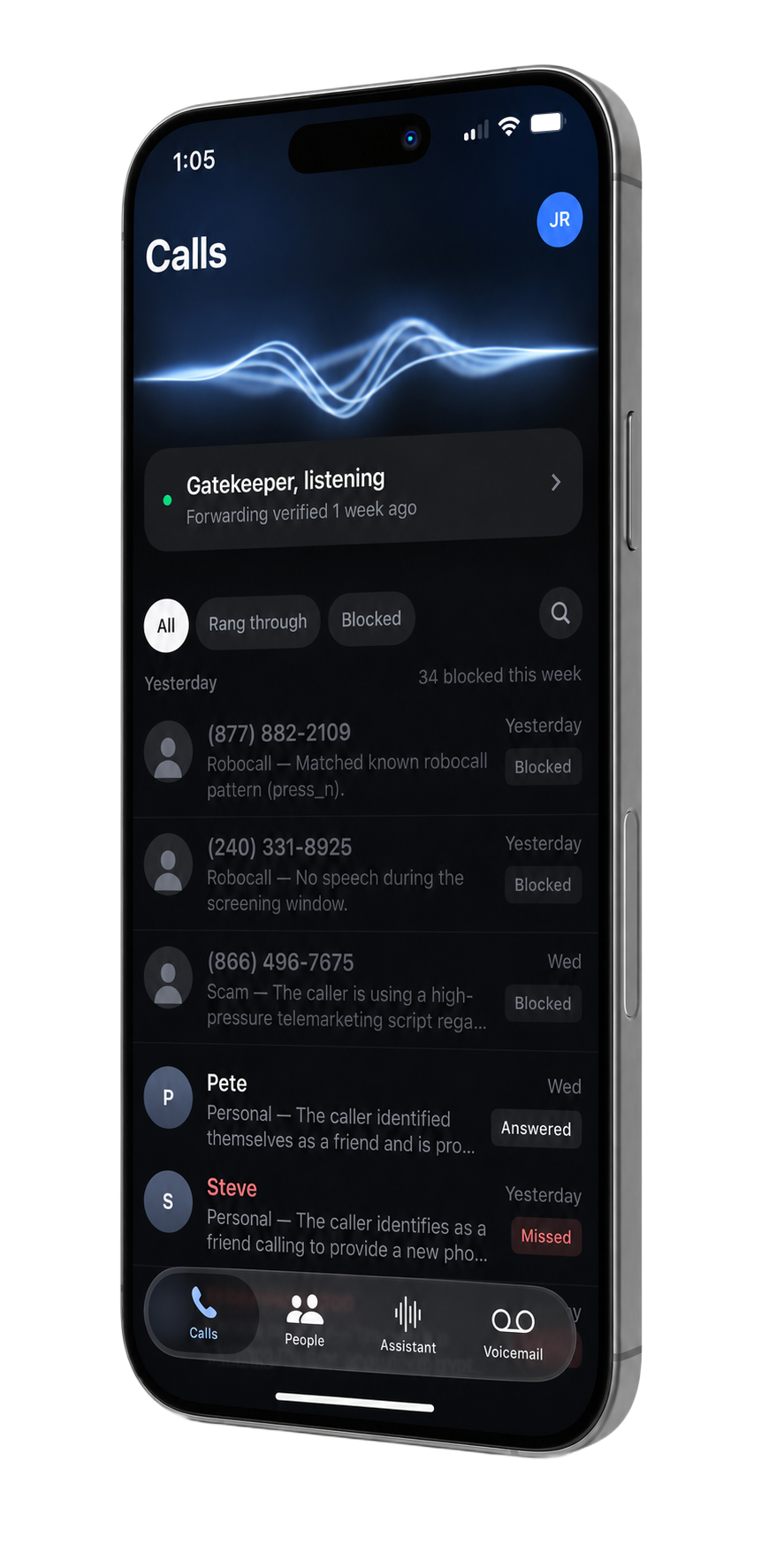
(866) 496-7675Asking who’s calling and why…
1:07 PMScreening
“I used to get 10 to 20 spam calls a day. Now I get zero spam interruptions.”
One day of unknown callsTry it on your calls
Why blocklists lose
A number tells you nothing. The caller tells you everything.
Scammers spoof numbers and rewrite their scripts every week, so lists and rules are always a step behind. Phone Screen doesn’t judge the number. It listens to the person on the line and decides the way a good assistant would.
Judged by the number(866) 496-7675Not in your contacts. Not on any list.
No way to tell
Judged by what they say
Caller
This is a courtesy call regarding your vehicle’s extended warranty. This is your final notice to—
Spam detected — hung up
Robocall — Matched a known robocall scriptBlocked
Judged by the number(415) 555-0134Not in your contacts. Not on any list.
No way to tell
Judged by what they say
Caller
Hi, it’s Maya from Dr. Patel’s office. I’m confirming your appointment tomorrow at two.
Assistant
Thanks — connecting you now.
Healthcare — Confirming tomorrow’s 2pm appointmentRang through
Two unknown numbers that look exactly alike. Only one thing tells them apart: what the caller says. Phone Screen hears it, and decides within seconds of the caller answering.
Get Phone ScreenHow it works
It picks up, listens, and decides. Before your phone rings.
Every unknown caller reaches your assistant first. It asks one question, listens to the answer, and makes the call in a few seconds.
CallsCall detail
(415) 555-0134
Today 2:14 PM · 0:41
AnsweredSounded like healthcare
What I gathered
Maya from Dr. Patel’s office is confirming a medical appointment for tomorrow at 2 PM.
I was 96% sure of that.Transcript
Assistant
Hi — you’ve reached John’s assistant. Please say your name and the reason you’re calling.
Caller
Hi, it’s Maya from Dr. Patel’s office. I’m confirming your appointment tomorrow at two.
Thanks — connecting you now.
Transcript ends here — you took over the call.
Call backAlways blockAlways allow
- 01
It answers.
Unknown callers hear a short greeting in a natural voice and are asked who they are and why they’re calling. Your phone stays silent.
- 02
It listens.
No menu, no codes to press. The caller just talks, and the assistant transcribes and understands them as they speak.
- 03
It decides.
Real people ring through with their name and reason on your screen. Robocalls and scams are hung up on. Every decision is saved so you can review it.

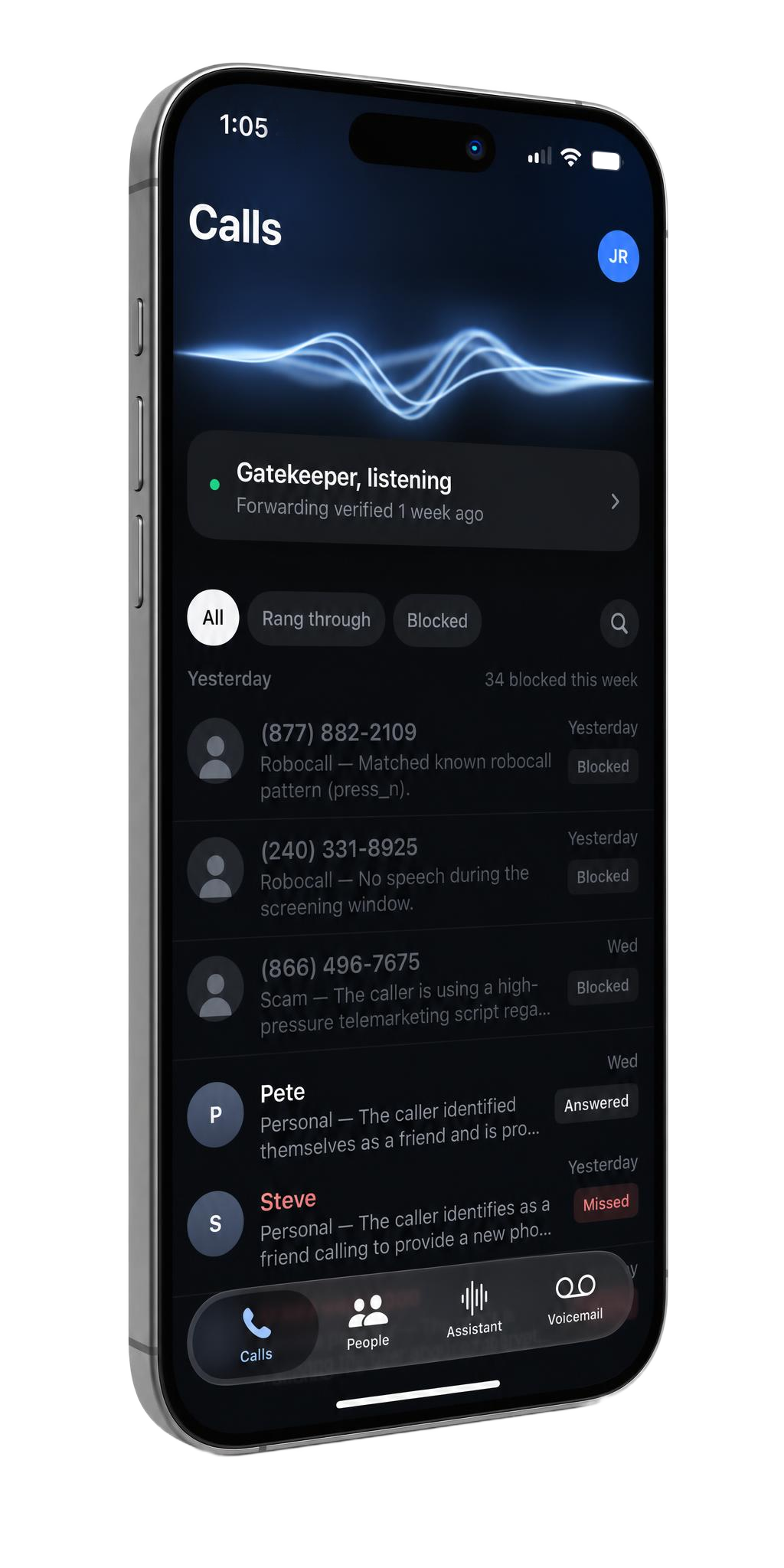
(240) 331-8925Robocall — No speech during the screening window.
YesterdayBlocked
No cleanup
The best spam call is the one you never knew happened.
No ring. No voicemail to delete. No junk in your regular call history. Every screened call waits quietly inside Phone Screen, with the transcript and the reason, for whenever you’re curious.
Get Phone ScreenOptional, in plain English
It knows a scam. Tell it about you.
Your assistant already knows a robocall when it hears one. What it can’t know is that you’re selling a car this week, or that your daughter’s school calls from a different number every time. Say so, in a sentence, and it weighs that on every call.
Expecting a callbackSelling a carSchool may callApplying for a mortgage
Get Phone ScreenAssistantScreening rules
Tell your assistant what you’re expecting, in your own words. It reads these rules every time it judges a call.
Your rules
I’m applying for a mortgage — let lender calls through.
My daughter’s school may call from different numbers. Always put them through.
My daughter’s school may call from different numbers. Always put them through.
Ideas
Save rulesI’m expecting a callback from Delta — put them through right away.
I’m selling a car, so buyers I don’t know will be calling about it.
Never put through anyone offering marketing or web-design services.
Quiet Mode
Unavailable.
Not unreachable.
Link Phone Screen to Do Not Disturb, any Focus, or a schedule. While it’s on, even your contacts hear that you’re not taking calls. A real emergency presses 1 and rings straight through. Everything else becomes a silent priority message on your screen.
- ✓ Follows Do Not Disturb and Focus modes automatically
- ✓ A real emergency presses 1 and rings through, no questions asked
- ✓ Every other call becomes a silent, summarized priority message
Do Not Disturb
Priority message — PetenowRunning 10 minutes late, meet you at the north entrance.The emergency rings out loud. The message arrives in silence. Nothing else gets through.
Built for real life
It knows the difference.
A new client who says what they need rings through. A “business listing” pitch is hung up on.
The contractor, the pharmacy, the driver at your gate: all through. The survey isn’t.
Deliveries, lenders, job callbacks, and the doctor’s office reach you. The Medicare pitch and the fake IRS agent never ring.
Nothing hidden
You can always see its reasoning.
Every call shows what the assistant heard, what it concluded, and how sure it was. If you’d have decided differently, one tap fixes it.
Every decision, explained.
Each screened call keeps its transcript, the assistant’s one-sentence reasoning, and how confident it was, for 90 days.
One tap to overrule it.
Always allow or always block any caller right from the call. Your contacts ring straight through without being screened.
Pause whenever you like.
Turn screening off and every call rings you directly. Delete any call from your log at any time.
Is this really AI, or another blocklist?
It’s a real language model that listens to what each caller says and judges the call from their words, the way a human assistant would. There’s no list to maintain. Known robocall scripts are cut off instantly, and everything else is decided on what’s actually said.
What if it blocks a call I wanted?
Every decision is saved with the transcript and the assistant’s reasoning for 90 days, so you can see exactly what happened. One tap marks a caller as always allowed. And if you’re expecting something unusual, you can tell the assistant about it in a sentence.
What does a caller hear?
A short, natural greeting in a voice you choose: “Hi, you’ve reached John’s assistant. Please say your name and the reason you’re calling.” They answer in their own words. No menus, no codes. Real callers are connected within seconds of answering.
Does my phone number change?
No. Phone Screen works through call forwarding on your existing number. Your contacts, your caller ID, and the number people dial all stay the same, and you can switch it off any time.
Do my contacts get screened?
No. People in your contacts ring straight through, exactly as they do today, unless you’ve blocked a number or turned on Quiet Mode. Screening is only for callers you don’t know.
Do I have to screen every call?
You choose. Safety Net mode lets your phone ring normally first and only screens the calls you miss or decline. Gatekeeper mode answers every unknown caller before your phone rings.
What happens to blocked calls?
They’re ended before your phone rings. No voicemail, no missed call. They stay in Phone Screen’s own log, with the transcript kept for 90 days, so you can review them whenever you like, or never.
How does the emergency override work?
In Quiet Mode, callers are told you’re not taking calls and that they can press 1 for a real emergency. That call rings through immediately, labeled as an emergency. Everyone else leaves a priority message that appears on your screen silently.
Meet your assistant
Your phone should ring for people.
Not spam.
Let a real AI take your next unknown call.
Built for iPhone